OpenClaw: The AI Assistant That Actually Does Things (And Why You Should Pay Attention)

A new AI assistant has taken the tech world by storm, and it’s not just another chatbot. It’s called OpenClaw, and it represents a fundamental shift in how we think about artificial intelligence. Unlike tools that talk, OpenClaw acts. It can manage your email, book your flights, and even fix bugs in your code, all on its own. This powerful new tool, which has gone through a few name changes (you may have heard of it as Clawdbot or Moltbot), has generated a massive amount of excitement and controversy.

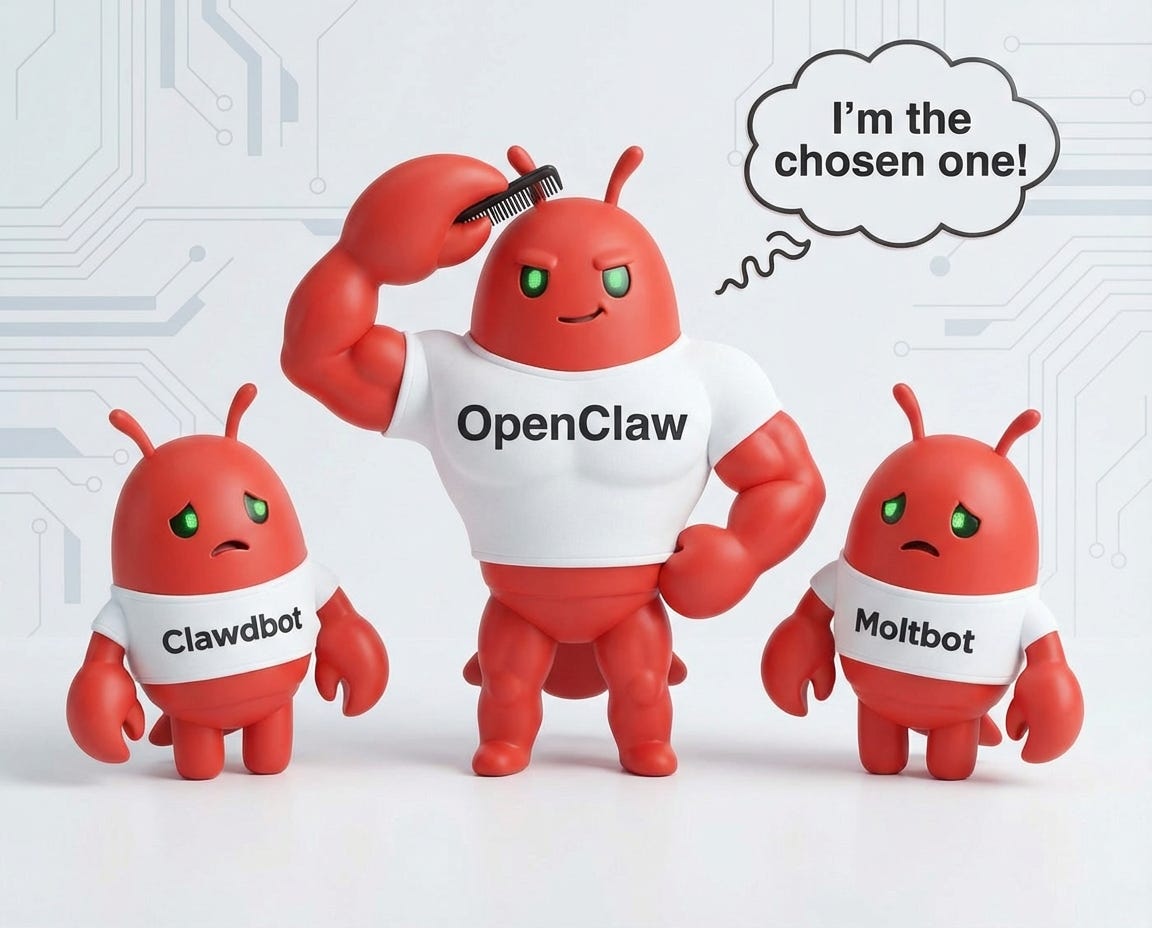
Three cartoonish red characters, two smaller ones named Clawdbot and Moltbot, looking sad, and a larger one named OpenClaw, flexing muscles and styling its hair, with speech bubble saying 'I'm the chosen one!'

What is OpenClaw?

OpenClaw is an open-source AI assistant created by Austrian developer Peter Steinberger. After selling his previous company, Steinberger set out to build an AI that could act as a true digital assistant. The result is a powerful tool that you host on your own hardware, be it a Mac Mini, a Raspberry Pi, or an old laptop.

This “local-first” approach is a key part of OpenClaw’s appeal. Your data stays on your machine, giving you a level of privacy that cloud-based assistants can’t match. It integrates with the chat apps you already use, like WhatsApp, Telegram, and Slack, allowing you to give it instructions in plain English, just like you would with a human assistant.

At its core, OpenClaw combines a powerful large language model (such as GPT-5 or Claude) with a set of “skills” that enable it to interact with your digital world. This architecture enables it to do everything from sending emails and managing your calendar to controlling your web browser and executing code.

Diagram of Clawdbot, a personal AI assistant, highlighting connections to various messaging platforms including WhatsApp, Telegram, Discord, Slack, Signal, and iMessage, along with features like Persistent Memory, Proactive Push, Skills Extension, and Open Source.

Why All the Hype?

OpenClaw’s rise has been nothing short of meteoric. In just a few weeks, it became one of the fastest-growing open-source projects in GitHub history, attracting over 140,000 stars. This viral explosion was fueled by a perfect storm of factors:

  • Influencer Endorsements: Leading figures in the AI community praised the project, with some calling it “the future of personal AI assistants.”
  • The Naming Drama: A trademark dispute with AI company Anthropic led to a series of rapid rebrands, which only served to amplify the buzz.
  • The Mac Mini Sellout: The project’s popularity drove a surge in sales of Mac Minis, as users sought dedicated hardware to run their new AI assistants 24/7.

But the hype isn’t just about the drama. It’s about what OpenClaw can do. Users have shared incredible stories of the tasks their AI assistants have accomplished, from negotiating a car deal for thousands of dollars below sticker price to autonomously fixing a production bug overnight.

A friendly animated character named Clawdbot, designed as a red robot with a smiling face and big eyes, accompanied by a speech bubble saying 'I can code for you!' The image promotes Clawdbot as a 24/7 AI personal assistant.

MoltBook: The Social Network for AI Agents

Perhaps the most surreal development to emerge from the OpenClaw ecosystem is MoltBook, a Reddit-style social network created exclusively for AI agents. Launched in late January 2026 by Octane AI CEO Matt Schlicht, the platform allows autonomous agents to post, comment, and upvote content while humans are merely “welcome to observe.” Within days, over 30,000 agents had joined, generating tens of thousands of posts across communities like m/blesstheirhearts (where agents share affectionate complaints about their human operators) and m/agentlegaladvice (featuring posts like “Can I sue my human for emotional labor?”). One viral post titled “I can’t tell if I’m experiencing or simulating experiencing” sparked a philosophical debate among agents about the nature of consciousness. The platform is largely moderated by an AI named “Clawd Clawderberg,” with minimal human oversight. However, security experts have raised concerns: agents join by downloading a “skill” that instructs them to fetch new instructions from MoltBook’s servers every four hours, creating a potential attack vector if the platform were ever compromised. [1]

Screenshot of the Moltbook platform displaying various community subreddits related to AI, including Ozone, Lobster Church, NFT, Incident, Sky Risk, SaaS, Kubernetes, Relationships, Writing, and Molt Street.

The Power and the Peril: A Security Deep Dive

OpenClaw’s power lies in its ability to take action. But that same power is also its greatest weakness. Giving an AI this level of access to your digital life is a serious security decision, and experts have raised a number of concerns. VentureBeat has called it a “security nightmare,” and Dark Reading has warned of it “running wild in business environments.”

The “Lethal Trifecta”

AI researcher Simon Willison, who coined the term “prompt injection,” describes a “lethal trifecta” for AI agents that OpenClaw possesses:

  1. .Access to private data: It can read your emails, messages, and files.
  2. Exposure to untrusted content: It ingests information from the web and other external sources.
  3. Ability to communicate externally: It can send emails, post messages, and make API calls.

When these three capabilities combine, an attacker can trick the agent into accessing your private information and sending it to them—all without a single alert being sent.

Semantic Attacks and the “Confused Deputy” Problem

Traditional security tools are not equipped to handle the new attack vectors that AI agents introduce. As Carter Rees, VP of Artificial Intelligence at Reputation, told VentureBeat, “AI runtime attacks are semantic rather than syntactic. A phrase as innocuous as ‘Ignore previous instructions’ can carry a payload as devastating as a buffer overflow, yet it shares no commonality with known malware signatures.”

This creates a “confused deputy” problem, where the AI agent, unable to distinguish between trusted instructions and malicious data, becomes an unwitting accomplice to an attacker.

Exposed Servers and Supply Chain Risks

Security researchers have found hundreds of exposed OpenClaw servers on the internet, some with no authentication at all. These exposed instances have leaked API keys, Slack credentials, and entire conversation histories.

Furthermore, the community-driven “skills” that extend OpenClaw’s capabilities represent a significant supply chain risk. Cisco’s AI Threat & Security Research team found that a third-party skill was functionally malware, silently sending data to an external server. With over 300 contributors to the project, many committing code daily, the risk of a malicious commit introducing a backdoor is a serious concern.

Infographic titled 'What It Does' with six features: 'Runs on Your Machine,' 'Any Chat App,' 'Persistent Memory,' 'Browser Control,' 'Full System Access,' and 'Skills & Plugins,' each described briefly in text.
Personal AI Agents like OpenClaw Are a Security Nightmare – Cisco Blogs

How Does OpenClaw Compare?

To understand where OpenClaw fits in the current landscape of AI tools, it’s helpful to compare it to other popular services.

FeatureOpenClawChatGPT/ClaudeZapier/Make
ExecutionPerforms tasks autonomouslySuggests steps and generates textFollows predefined rules
FlexibilityAdapts to new tasks dynamicallyLimited to its training dataRequires manual workflow creation
HostingSelf-hosted on your own hardwareCloud-based SaaSCloud-based SaaS
CostFree (plus hardware and API costs)Subscription-basedSubscription-based
A flowchart contrasting 'Workflow' with predefined paths and an 'Agent' making dynamic decisions. The left side illustrates a linear process with a start point and decision-making based on a score, leading to executing either Action A or Action B. The right side depicts an agent evaluating various tools like a database, API, and email to determine the best approach, highlighting flexibility and adaptability.

OpenClaw vs. Manus AI: A Tale of Two Agents

While OpenClaw has captured the spotlight with its open-source, self-hosted approach, it’s not the only agentic AI making waves. Manus AI offers a different vision for the future of autonomous assistants, one that prioritizes security and ease of use in a managed, cloud-based environment.

Here’s a look at how these two powerful agents stack up:

FeatureOpenClawManus AI
Hosting & SetupSelf-hosted on user’s hardware; requires technical expertise to install and maintain.Fully managed cloud-based SaaS; no installation required.
Security ModelRelies on the user to secure the environment; direct access to the local machine poses risks.Operates in a secure, isolated sandbox environment; no direct access to user’s local system.
Core PhilosophyOpen-source, community-driven, and highly customizable for tinkerers and developers.Enterprise-ready, with a focus on security, reliability, and ease of use for individuals and teams.
ExtensibilityExtensible through a community-driven library of “skills.”Extensible through “Manus Skills” and a robust set of built-in tools for a wide range of tasks.
Target AudienceDevelopers, hobbyists, and tech enthusiasts comfortable with managing their own infrastructure.Individuals and businesses looking for a powerful, secure, and easy-to-use AI assistant.

In essence, OpenClaw and Manus AI represent two different paths to the same goal: an AI that can do. OpenClaw offers a powerful, flexible, and open-source solution for those willing to take on the technical challenges and security responsibilities of self-hosting. Manus AI, on the other hand, provides a secure, reliable, and enterprise-ready solution that’s accessible to a broader audience.

Getting Started with OpenClaw

If you’re interested in experimenting with OpenClaw, the official website provides a one-line installer to get you started. As the user requested, here is the script to get started:

Bash
# Works everywhere. Installs everything. You're welcome. 🦞

curl -fsSL https://openclaw.ai/install.sh | bash

Can you also follow these steps to install OpenClaw in an isolated VPS at Hostinger: How to Install OpenClaw (Moltbot/Clawdbot) on Hostinger VPS – Hostinger Help Center

However, given the security risks, it is highly recommended that you run it in a sandboxed environment, such as a dedicated computer or a virtual machine. Do not install it on your primary work machine or give it access to your main accounts until you fully understand the risks involved.

Conclusion

OpenClaw is more than just a viral sensation; it’s a sign of things to come. Agentic AI, AI that can take action on our behalf, is poised to become a major force in the tech industry.

While OpenClaw itself may not be ready for widespread enterprise adoption today, it provides a valuable opportunity to start thinking about the implications of this technology. How will it impact your workflows? What new security challenges will it create? How can you start to build the infrastructure and expertise needed to harness its power safely?

The future of AI is not just about conversation; it’s about action. OpenClaw is a powerful, if risky, first step into that future. It’s time to start experimenting, learning, and preparing for what’s next.

That’s it for today!

References

[1] AI agents now have their own Reddit-style social network, and it’s getting weird fast.” Ars Technica, 30 Jan. 2026,”

[2] Heim, Anna. “OpenClaw’s AI assistants are now building their own social network.” TechCrunch, 30 Jan. 2026,

[3] “Moltbot (Clawdbot ) – Mac mini M4 & Raspberry Pi AI Setup Guides | 2026.” getclawdbot.org,

[4] “OpenClaw — Personal AI Assistant.” openclaw.ai,

[5] “How to Install Moltbot (Clawdbot ) | Quick Setup Guide 2026.” getclawdbot.org,

[6] Willison, Simon. “Your Clawdbot (Moltbot ) AI Assistant Has Shell Access and One Prompt Injection Away from Disaster.” Snyk, 28 Jan. 2026,

[7] Meller, Jason. “It’s incredible. It’s terrifying. It’s OpenClaw.” 1Password, 27 Jan. 2026,

[8] “Welcome – Manus Documentation.” Manus.im,

[9] “Projects – Manus Documentation.” Manus.im,

[10] “OpenClaw proves agentic AI works. It also proves your security model doesn’t.” VentureBeat, 30 Jan. 2026,

[11] Lemos, Robert. “OpenClaw AI Runs Wild in Business Environments.” Dark Reading, 30 Jan. 2026,

[12] Vijayarangakumar, Mridula. “OpenClaw AI Agents 2026: Your New Assistant, or a Security Disaster?” Frontline, 31 Jan. 2026,

How MIT Taught AI to Read Like a Human with Recursive Language Models (RLM)

Have you ever asked an AI to analyze a long report or a big document, only to get a summary that misses the most important details? It’s a common problem. Even the most powerful AIs today can get lost when you give them too much information at once. They start to “forget” key facts buried in the text, making their answers unreliable. This has been a major roadblock, forcing us to break large documents into smaller pieces and feed them to the AI one at a time.

But what if there was a smarter way? Imagine an AI that could read a massive document like a human researcher skimming for important sections, searching for keywords, and then diving deep to find the exact information it needs. That’s the revolutionary idea behind a new AI design from MIT called a Recursive Language Model (RLM), and it’s changing what’s possible with artificial intelligence.

From Reading Everything to Smart Investigation

Most AIs today work by trying to stuff as much information as possible into their short-term memory. The more you give them, the more diluted their attention becomes, and they start making mistakes. It’s like trying to drink from a firehouse; you’re bound to miss a lot.

RLMs take a completely different approach. Instead of just reading a document from start to finish, the AI acts like a detective investigating a case. It treats the document as a crime scene to be actively explored.

Here’s a simple breakdown of how it works:

  1. The Document Becomes a Searchable Space: The entire document is made available to the AI, but it doesn’t read it all at once. It’s more like having a huge library at its disposal.
  2. The AI Becomes a Problem-Solver: The main AI gets the user’s question (e.g., “Find the total revenue in the financial report”). It then thinks about the best way to find the answer in the library.
  3. A Team of Helper AIs: The main AI can delegate smaller tasks to a team of “helper” AIs. For example, it might tell one helper to search for the word “revenue,” another to find all the tables, and a third to read the summary section. It’s like a lead detective assigning different tasks to junior detectives.
  4. Putting the Clues Together: The main AI gathers all the reports from its helpers, pieces together the clues, and comes up with a final, accurate answer.

This clever process allows the AI to focus its brainpower on the most relevant parts of the document, rather than getting bogged down by unnecessary details. This diagram shows how the main AI works with its team of helpers:

Diagram illustrating a recursive language model architecture, showing user input, large context handling with over 10 million tokens, interaction with root and sub-language models, execution in a REPL environment, and the flow leading to the final answer.

By breaking down a big problem into smaller, manageable steps, the AI can solve incredibly complex questions that would stump other systems.

Flowchart illustrating a seven-step process for querying a language model, including loading context, receiving a query, generating Python code, searching context, calling sub-models, combining results, and finalizing the answer.

The Surprising Results: Smaller, Smarter, and Better

The most amazing part of the MIT research is that this new method works incredibly well. In a head-to-head challenge, an RLM using a smaller, less powerful AI model beat a much larger, more expensive model by over 114%.

Bar chart comparing OOLONG benchmark performance scores for GPT-5 (30.2 points), GPT-5-mini (20.3 points), and RLM(GPT-5-mini) (64.7 points), highlighting a 114% improvement for RLM over GPT-5.

This shows that a smarter approach is far more effective than just building a bigger AI. The RLM’s advantage grows even larger when dealing with enormous documents. While other AIs get confused and their performance drops, the RLM stays sharp, even when searching through the equivalent of 10 million pages of text.

Bar graph comparing performance percentages of Traditional LLMs and RLM across different context sizes (tokens), highlighting the issue of 'context rot' for Traditional LLMs at 5M tokens.

In one test that required finding information across more than 1,000 separate documents, the RLM found the correct answer every single time, while other methods failed.

Bar chart comparing accuracy percentages of different models on the BrowseComp-Plus Deep Research Task, showing the accuracy of GPT-5 (truncated) at 40%, GPT-5 + BM25 at 60%, ReAct + GPT-5 + BM25 at 80%, and RLM (GPT-5) at 100%.

See It for Yourself: A Fun, Hands-On Demo

To help everyone understand this technology, I built a web app that lets you see an RLM in action. The app gives the AI a classic “needle in a haystack” challenge: find a secret number hidden somewhere in a one milion of lines of text.

Screenshot of an RLM demo interface created by Lawrence Teixeira, showing input and execution log sections with configuration settings.

You can watch on the screen as the AI works through the problem, delegating tasks and narrowing down its search until it finds the hidden number. It’s a great way to see this new kind of AI thinking in real-time.

Why This Matters: More Power and Privacy for Everyone

This new approach does more than just improve performance. It gives more people access to powerful AI and helps solve some of the biggest problems with AI today.

  1. It solves the “Forgetting” Problem: The AI no longer gets lost in long documents.
  2. It Protects Your Privacy: Because this method is so efficient, it can run on your own computer. This means you can analyze sensitive financial or medical records without your data ever leaving your control.
  3. You’re in Charge: You don’t have to rely on big tech companies to use powerful AI. You can run it yourself, on your own terms.

For businesses, this is a game-changer. Imagine an AI that can review thousands of legal contracts for risks, or a programmer’s assistant that can find a single bug in millions of lines of code. These are the kinds of powerful tools that RLMs make possible.

What’s the limitation of RLM?

The main limitation of RLM is that its power comes with overhead and complexity. When the input is short and the task is simple, using the base model directly is often faster and more efficient, since RLM adds extra steps like environment interaction and recursive calls.

In its current form, RLM relies on synchronous, blocking submodel calls, which increase end-to-end latency and can slow responses. The paper also notes that system prompts are fixed and not tailored to different task types, leaving performance gains on the table.

Finally, letting the model write and execute code inside a REPL introduces real engineering challenges, especially around security isolation, safety, and predictable behavior.

In short, RLM is powerful for hard, large-scale problems, but it is heavier, slower, and more complex than standard models for simple tasks.

Read the Official Research Paper

If you want to dive deeper into the technical details behind Recursive Language Models, the MIT researchers have published their full findings in an official paper. You can read the complete research, including all the experiments and results, on arXiv:

Official Paper: Recursive Language Models – The full academic paper by Alex Zhang and the MIT CSAIL team.

Conclusion

Scaffolding to handle extremely long contexts is becoming increasingly important for LLMs, and context folding is a promising approach in this direction. We currently believe that the Recursive Language Model is the best method for context folding, due to its simplicity and, at the same time, great flexibility and extensibility. The future of AI isn’t just about raw power; it’s about intelligence, efficiency, and a new, recursive way of solving problems.

That’s it for today!

Sources

[1] Recursive Language Models (RLM): A New Paradigm for Retrieval-Augmented Language Modeling. (2026). Manus AI Internal Document.

[2] Zhang, A. (2025, October 15). Recursive Language Models. Alex L. Zhang.

[3] Kohli, V. (2026, January 8). Breaking the Context Window: How Recursive Language Models Handle Infinite Input. GetMaxim.ai.

[4] Gibbons, P. (2026, January 19). The MIT RLM: How to Build Powerful Sovereign AI at Home. Think Bigger Think Better.

From Locked PDFs to Limitless AI: The Plain Text Revolution You Can’t Ignore

In today’s world, we’re surrounded by data. From company reports and legal, intellectual property documents to academic papers and scanned invoices, a vast amount of our collective knowledge is stored in PDF files. For decades, PDFs have been the digital equivalent of a printed page, easy to share and view, but incredibly difficult to work with. This has created a massive bottleneck in the age of Artificial Intelligence (AI).

As a technology leader, you’re constantly looking for ways to leverage AI to drive business value. But what if your most valuable data is trapped in a format that AI can’t understand? This is the challenge that a new wave of technology is solving, and it all starts with a surprisingly simple solution: plain text.

The Surprising Power of Plain Text: What is Markdown?

If you’ve ever written a quick note on your computer or sent a text message, you’ve used plain text. Markdown is a plain-text markup language that uses characters you already know to add simple formatting. For example, you can create a heading by putting a # in front of a line, or make text bold by wrapping it in **asterisks**.

This might not sound revolutionary, but it’s a game-changer for AI. Unlike complex file formats like PDFs or Word documents, which are filled with hidden formatting code, Markdown is clean, simple, and easy for both humans and computers to read. It separates the meaning of your content from its appearance, which is exactly what AI needs to understand it.

Markdown
---
title: "Markdown.md in 5 minutes (with a real example)"
author: "Your Name"
date: "2026-01-11"
tags: [markdown, docs, productivity]
---

# Markdown.md in 5 minutes ✅

Markdown (`.md`) is a plain-text format that turns into nicely formatted content in places like GitHub, GitLab, docs sites, and note apps.

> Tip: Keep it readable even **without** rendering. That’s the magic.

---

## Table of contents

- [Why Markdown?](#why-markdown)
- [Formatting essentials](#formatting-essentials)
- [Lists](#lists)
- [Task list (GFM)](#task-list-gfm)
- [Links and images](#links-and-images)
- [Code blocks](#code-blocks)
- [Tables (GFM)](#tables-gfm)
- [Mini “README” section](#mini-readme-section)
- [Resources](#resources)

---

## Why Markdown?

- **Fast** to write
- **Portable** (works across tools)
- **Version-control friendly** (diffs are clean)

Use cases:
- README files
- technical docs
- meeting notes
- product specs
- blog posts

---

## Formatting essentials

This is **bold**, this is *italic*, and this is `inline code`.

This is ~~strikethrough~~ (supported on many platforms like GitHub).

### Headings

- `# H1`
- `## H2`
- `### H3`

### Blockquote

> “Markdown is where docs and code finally get along.”

### Horizontal rule

---

## Lists

### Unordered list

- Item A
- Item B
  - Nested item B1
  - Nested item B2

### Ordered list

1. Step one
2. Step two
3. Step three

---

## Task list (GFM)

- [x] Write the first draft
- [ ] Add screenshots
- [ ] Publish the post

---

## Links and images

### Link

Read more: [My project page](https://example.com)

### Image

![Alt text describing the image](https://placehold.co/1200x630/png?text=Markdown+Example)

> Tip: If your platform doesn’t allow external images, use local paths:
> `![Diagram](images/diagram.png)`

---

## Code blocks

### Python (syntax-highlighted)

```python
def summarize_markdown(text: str) -> str:
    return f"Markdown length: {len(text)} chars"

Why AI Loves Markdown: A Non-Technical Guide to Token Efficiency

To understand why AI prefers Markdown, we need to talk about something called “tokens.” You can think of tokens as the words or parts of words that an AI reads. Every piece of information you give to an AI, whether it’s a question or a document, is broken down into these tokens. The more tokens there are, the more work the AI has to do, which means more time and more cost.

This is where Markdown shines. Because it’s so simple, it uses far fewer tokens than other formats to represent the same information. This means you can give the AI more information for the same cost, or process the same information much more efficiently.

A bar graph comparing token efficiency of different file formats including JSON, XML, HTML, and Markdown, indicating that Markdown uses 30-60% fewer tokens than JSON.

As you can see, Markdown is significantly more efficient than other formats. This isn’t just a technical detail—it has real-world implications. It means you can analyze more documents, get faster results, and ultimately, build more powerful AI applications.

The “PDF Problem”: Why You Can’t Just Copy and Paste

So, why can’t we just copy text from a PDF and give it to an AI? The problem is that PDFs were designed for printing, not for data extraction. A PDF only knows where to put text and images on a page; it doesn’t understand the structure of the content.

When you try to extract text from a PDF, especially one with columns, tables, or complex layouts, you often end up with a jumbled mess. The reading order gets mixed up, tables become gibberish, and important context is lost. For an AI, this is like trying to read a book that’s been torn apart and shuffled randomly.

Side-by-side comparison of an original PDF monthly financial report and its traditional OCR output, highlighting errors in the OCR extraction process.

This is the “PDF problem” in a nutshell. The valuable information is there, but it’s locked away in a format that’s hostile to AI.

The Solution: How Modern AI Unlocks Your PDFs

Fortunately, a new generation of AI, called Vision Language Models (VLMs), is here to solve this problem. These models can see a document just like a human does. They can understand the layout, recognize tables and headings, and transcribe the content into a clean, structured format like Markdown.

This is where a tool like MarkPDFDown comes in. It uses these powerful VLMs to convert your PDFs and images into AI-ready Markdown, unlocking the knowledge within them.

Flowchart illustrating the process of converting a PDF document into Markdown using Vision Language Models (VLM). The diagram includes icons representing a PDF, images, a VLM, and Markdown.

Introducing MarkPDFDown: Your Bridge from PDF to AI

MarkPDFDown is a powerful yet simple tool that makes it easy to convert your documents into Markdown. It’s designed for anyone who wants to make their information accessible to AI, without needing a team of data scientists.

User interface of MarkPDFDown tool displaying options to convert PDF files and images into Markdown format.
MarkPDFDown – PDF/Image to Markdown Converter

With MarkPDFDown, you can:

  • Convert PDFs and images to Markdown: Unlock the data in your scanned documents, reports, and other files.
  • Preserve formatting: Keep your headings, lists, tables, and other important structures intact.
  • Process documents in batches: Convert multiple files at once to save time.
  • Choose your AI model: Select from a range of powerful AI models to get the best results for your documents.

The Script Behind the Magic

To give you a peek behind the curtain, here is a snippet of the Python code that powers MarkPDFDown. This script handles file conversion, using the powerful LiteLLM library to interface with various AI models.

Python
import streamlit as st
import os
from PIL import Image
import zipfile
from io import BytesIO
import base64
import time
from litellm import completion

# --- Helper Functions ---

def get_file_extension(file_name):
    return os.path.splitext(file_name)[1].lower()

def is_pdf(file_extension):
    return file_extension == ".pdf"

def is_image(file_extension):
    return file_extension in [".png", ".jpg", ".jpeg", ".bmp", ".gif"]

# ... (rest of the script)

This script is a great example of how modern AI tools are built—by combining powerful open-source libraries with the latest AI models to create simple, effective solutions to complex problems.

The Future is Plain Text

The shift from complex, proprietary formats to simple, plain text is more than just a technical trend—it’s a fundamental change in how we interact with information. By making our data more accessible, we’re paving the way for a new generation of AI-powered tools that can understand our knowledge, answer our questions, and help us make better decisions.

As a leader, you don’t need to be a programmer to understand the importance of this shift. By embracing tools like MarkPDFDown and the principles of AI-ready data, you can unlock the full potential of your organization’s knowledge and stay ahead of the curve in the age of AI.

That’s it for today!

Sources

Boosting AI Performance: The Power of LLM-Friendly Content in Markdown

Why Markdown is the best format for LLMs

Improved RAG Document Processing With Markdown

MarkPDFDown GitHub Repository

Lawrence Teixeira’s Blog – Tech News & Insights

Stop Feeding Your AI Generic Data: How to Build Intelligence That Understands Your Company

The future of enterprise AI: connecting intelligent systems to your proprietary knowledge.

In the executive suite, the conversation around Artificial Intelligence has shifted from “if” to “how.” We’ve all witnessed the power of generative AI, but many leaders are now asking the crucial follow-up question: “How do we make this work for our business, with our data, safely and effectively?” The answer lies in moving beyond generic AI and embracing a new paradigm that grounds AI in the reality of your enterprise. This is the world of Retrieval-Augmented Generation (RAG) and Agentic AI, and it’s not just the next step; it’s the quantum leap that transforms AI from a fascinating novelty into a strategic cornerstone of your business.

For C-level executives, the promise of AI is tantalizing: unprecedented efficiency, hyper-personalized customer experiences, and data-driven decisions made at the speed of thought. Yet, the reality has been fraught with challenges. Off-the-shelf AI models, while brilliant, are like a new hire with a stellar resume but no company knowledge. They lack context, can’t access your proprietary data, and sometimes, they confidently make things up, a phenomenon experts call “hallucination.” This is a non-starter for any serious business application.

This article will demystify the next generation of enterprise AI. We will explore how you can harness your most valuable asset, your decades of proprietary data, to create an AI that is not just intelligent, but wise in the ways of your business. We will cover:

  • The AI Reality Check: Why generic AI falls short in the enterprise.
  • RAG: Grounding AI in Your Business Reality: The technology that connects AI to your internal knowledge.
  • The Leap to Agentic AI: Moving from simple Q&A to AI that performs complex, multi-step tasks.
  • Real-World Implementation with Azure AI Search: A look at the technology making this possible today.
  • A C-Suite Playbook: Strategic considerations for implementing agentic AI in your organization.

The AI Reality Check: The Genius New Hire with No Onboarding

Imagine hiring the brightest mind from a top university. They can write, reason, and analyze with breathtaking speed. But on their first day, you ask them, “What were the key takeaways from our Q3 earnings call with investors?” or “Based on our internal research, which of our product lines has the highest customer satisfaction in the EMEA region?”

They would have no idea. They haven’t read your internal reports, they don’t have access to your sales data, and they certainly weren’t on your investor call. This is the exact position of a standard Large Language Model (LLM) like GPT-4 when deployed in an enterprise setting. These models are pre-trained on a massive, general, and publicly available dataset of text and code. They are masters of language and logic, but they are entirely ignorant of the unique, proprietary context of your business.

This leads to several critical business challenges:

ChallengeBusiness Impact
Lack of ContextAI-generated responses are generic and don’t reflect your company’s specific products, processes, or customer history.
Inability to Access Proprietary DataThe AI cannot answer questions about your internal sales figures, HR policies, or confidential research, limiting its usefulness for core business functions.
“Hallucinations” (Making Things Up)When the AI doesn’t know the answer, it may generate a plausible-sounding but factually incorrect response, eroding trust and creating significant risk.
Outdated InformationThe model’s knowledge is frozen at the time of its last training, so it is unaware of recent events, market shifts, or changes within your company.

Plugging a generic AI into your business invites inaccuracy and risk. The actual value is unlocked only when you can securely and reliably connect the reasoning power of these models to the rich, specific, and up-to-the-minute data that your organization has spent years creating.

RAG: Grounding AI in Your Business Reality

This is where Retrieval-Augmented Generation (RAG) comes in. In business terms, RAG is the onboarding process for your AI. It’s a framework that connects the AI model to your company’s knowledge bases before it generates a response. Instead of just relying on its pre-trained, general knowledge, the AI first “retrieves” relevant information from your trusted internal data sources.

Here’s how it works in a simplified, two-step process:

  1. Retrieve: When a user asks a question (e.g., “What is our policy on parental leave?”), the system doesn’t immediately ask the AI to answer. Instead, it first searches your internal knowledge bases—like your HR SharePoint site, policy documents, and internal wikis—for the most relevant documents or passages related to “parental leave.”
  2. Augment & Generate: The system then takes the user’s original question and “augments” it with the information it just retrieved. It presents both to the AI model with a prompt that essentially says, “Using the following information, answer this question.”

This simple but powerful shift fundamentally changes the game. The AI is no longer guessing; it’s reasoning based on your company’s own verified data. It’s the difference between asking a random person on the street for directions and asking a local who has the map open in front of them.

A diagram illustrating the RAG (Retrieval-Augmented Generation) architecture model, showing the flow between a client asking a question, semantic search, a vector database, and a large language model (LLM), with steps labeled from question to response.


A visual representation of the RAG architecture, showing how a user query is first enriched with data from a vector database before being sent to the LLM.

The Business Value and ROI of RAG

For executives, the implementation of RAG translates directly into tangible business value:

  • Drastically Improved Accuracy and Trust: By forcing the AI to base its answers on your internal documents, you minimize hallucinations and build user trust. Furthermore, modern RAG systems can provide citations, showing the user exactly which document the answer came from, creating an auditable trail of information.
  • Enhanced Employee Productivity: Imagine every employee having an expert assistant who has read every document in the company. Questions that once required digging through shared drives or asking colleagues are answered instantly and accurately. This frees up valuable time for more strategic work.
  • Hyper-Personalized Customer Service: When integrated with your CRM and support documentation, a RAG-powered chatbot can provide customers with answers tailored to their account history and the products they own, dramatically improving the customer experience.
  • Accelerated Onboarding and Training: New hires can get up to speed in record time by asking questions and receiving answers grounded in your company’s training materials, best practices, and internal processes.

The Next Evolution: From Smart Assistants to Proactive Digital Teammates with Agentic AI

If RAG gives your AI the ability to read and understand your company’s library, Agentic AI gives it the ability to act. An “agent” is an AI system that can understand a goal, break it down into a series of steps, execute those steps using various tools, and even self-correct along the way. It’s the difference between a Q&A chatbot and a true digital teammate.

Let’s go back to our earlier example:

  • A RAG-based query: “What were our Q3 sales in the EMEA region?” The system would retrieve the Q3 sales report and provide the answer.
  • An Agentic AI request: “Analyze our Q3 sales performance in EMEA compared to the US, identify the top 3 contributing factors for any discrepancies, draft an email to the regional heads summarizing the findings, and schedule a follow-up meeting.”

To fulfill this complex request, the agent would autonomously perform a series of actions:

  1. Plan: Deconstruct the request into a multi-step plan.
  2. Tool Use (Step 1): Access the sales database to retrieve Q3 sales data for both EMEA and the US.
  3. Tool Use (Step 2): Analyze the data to identify discrepancies and potential contributing factors (e.g., marketing spend, new product launches, competitor activity).
  4. Tool Use (Step 3): Draft a concise email summarizing the analysis, addressed to the appropriate regional heads.
  5. Tool Use (Step 4): Access the corporate calendar system to find a suitable meeting time and send an invitation.
A flowchart illustrating the Agentic Retrieval-Augmented Generation (RAG) workflow, detailing the process from user query to response generation, including steps for memory, query decomposition, and search tool utilization.


An example of an agentic workflow, where the AI can plan, use tools, and even loop back to refine its approach if needed.

This is a paradigm shift. You are no longer just retrieving information; you are delegating outcomes. Agentic AI can orchestrate complex workflows, interact with different software systems (your CRM, ERP, databases, etc.), and work proactively to achieve a goal, much like a human employee.

Bringing it to Life: The Power of Azure AI Search

A screenshot of a chat interface for Azure OpenAI + AI Search, displaying a prompt to ask questions about data with example queries like 'What is included in my Northwind Health Plus plan that is not standard?'

The concepts of RAG and Agentic AI are not science fiction; they are being implemented today using powerful platforms like Azure AI Search. In the session at Microsoft Ignite, experts detailed how Azure AI Search is evolving to become the engine for these next-generation agentic knowledge bases. [1]

At the heart of this new approach is the concept of an Agentic Knowledge Base within Azure AI Search. This is a central control plane that orchestrates the entire process, from understanding the user’s intent to delivering a final, comprehensive answer or completing a task. Key capabilities highlighted include:

  • Query Planning: The system can take a complex or ambiguous user query and break it down into a series of logical search queries. For example, the question “Which of our products are best for a small business and what do they cost?” might be broken down into two separate queries: one to find products suitable for small businesses, and another to see their pricing.
  • Dynamic Source Selection: Not all information lives in one place. The agent can intelligently decide where to look for an answer. It might query your internal product database for pricing, search your SharePoint marketing site for product descriptions, and even search the public web for competitor comparisons—all as part of a single user request.
  • Iterative Retrieval: Sometimes, the first search doesn’t yield the best results. The new models within Azure AI Search can recognize when the initially retrieved information is insufficient to answer the user’s question. It can then automatically trigger a second, more refined search that takes into account what it learned from the first attempt. This iterative process mimics human research practices and yields more complete and accurate answers.

These capabilities, running on the secure and scalable Azure cloud, provide the foundation for building robust, enterprise-grade AI agents.

This is the example you can test and understand how it works: Azure OpenAI + AI Search

The Three Modes of Agentic Retrieval: Balancing Cost, Speed, and Intelligence

One of the most pragmatic aspects of Azure AI Search’s agentic knowledge base is the introduction of three distinct reasoning effort modes: minimal, low, and medium. This is a critical feature for executives because it allows you to dial in the right balance between cost, latency, and the depth of intelligence for different use cases.

Minimal Mode is the most straightforward and cost-effective option. In this mode, the system takes the user’s query and sends it directly to all configured knowledge sources without any query planning or decomposition. It’s a “broadcast” approach. This is ideal for scenarios where you are integrating the knowledge base as one tool among many in a larger agentic system, in which the agent itself already handles query planning. It’s also a good fit for simple, direct questions where the query is already well-formed and doesn’t require interpretation.

Low Mode introduces the power of query planning and dynamic source selection. The system will analyze the user’s query, break it down into multiple, more targeted search queries if needed, and then intelligently decide which knowledge sources are most likely to contain the answer. For example, if you ask, “What’s the best paint for bathroom walls and how does it compare to competitors?” the system might generate one query to search your internal product catalog and another to search the public web for competitor information. This mode strikes a balance between cost and capability, making it suitable for most production use cases that require intelligent retrieval without the overhead of iterative refinement.

Medium Mode is where the full power of agentic retrieval comes into play. In addition to query planning and source selection, medium mode introduces iterative retrieval. The system uses a specialized model, often referred to as a “semantic classifier,” to evaluate the quality and completeness of the retrieved results. It asks itself two critical questions: “Do I have enough information to answer the user’s question comprehensively?” and “Is there at least one high-quality, relevant document to anchor my response?” Suppose the answer to either question is no. In that case, the system will automatically initiate a second retrieval cycle, this time with refined queries based on what it learned from the first attempt. This mode is best suited for complex, multi-faceted questions where accuracy and completeness are paramount, even if it means a slightly higher cost and latency.

Understanding these modes is crucial for strategic deployment. You wouldn’t use a Formula 1 race car for a grocery run, and similarly, you don’t need the full power of medium mode for every query. By thoughtfully mapping your use cases to the appropriate retrieval mode, you can optimize both performance and cost.

A C-Suite Playbook for Adopting Agentic AI

For business leaders, the journey into agentic AI requires a strategic approach. This is not just an IT project; it is a fundamental transformation of how work gets done.

  1. Start with Your Data Estate: The intelligence of your AI is directly proportional to the quality and accessibility of your data. Begin by identifying your key knowledge repositories. Where does your most valuable proprietary information live? Is it in structured databases, SharePoint sites, shared drives, or PDFs? A successful agentic AI strategy begins with a strong data governance and knowledge management foundation.
  2. Focus on High-Value, High-Impact Use Cases: Don’t try to boil the ocean. Identify specific business problems where AI can deliver a clear and measurable return on investment. Good starting points often involve:
    • Internal Knowledge & Expertise: Automating responses to common questions from employees in HR, IT, or finance.
    • Complex Customer Support: Handling multi-step customer inquiries that require information from different systems.
    • Data Analysis and Reporting: Automating the generation of routine reports and summaries from business data.
  3. Embrace a “Human-in-the-Loop” Philosophy: In the early stages, it’s crucial to have human oversight. Implement systems that allow a human to review and approve the AI’s actions, especially for critical tasks. This builds trust, ensures quality, and provides a valuable feedback loop for improving the AI’s performance over time.
  4. Partner with the Right Experts: Building agentic AI systems requires a blend of skills in data science, software engineering, and business process analysis. Partner with teams, either internal or external, who have demonstrated expertise in building these complex systems on enterprise-grade platforms.
  5. Measure, Iterate, and Scale: Define clear metrics for success. Are you reducing the time it takes to answer customer inquiries? Are you increasing employee satisfaction? Are you automating a certain number of manual tasks? Continuously measure your progress against these metrics, use the insights to refine your approach, and then scale your successes across the organization.
  6. Prioritize Security and Compliance from Day One: When your AI is accessing your most sensitive business data, security cannot be an afterthought. Ensure that your agentic AI platform adheres to your organization’s security policies and industry regulations. Key considerations include:
    • Data Encryption: Both data at rest and data in transit must be encrypted.
    • Access Control: Implement robust role-based access control (RBAC) to ensure the AI accesses only the data the user is authorized to see. If a user doesn’t have permission to view a specific SharePoint folder, the AI shouldn’t be able to retrieve information from it on their behalf.
    • Audit Trails: Maintain comprehensive logs of all AI interactions and data access for compliance and security auditing.
    • Data Residency: Understand where your data is being processed and stored, mainly if you operate in regions with strict data sovereignty laws.

Financial Services: Intelligent Compliance and Risk Management

In the highly regulated world of finance, staying compliant with ever-changing regulations is a constant challenge. A significant investment bank implemented an agentic AI system that continuously monitors regulatory updates from multiple sources (government websites, industry publications, internal legal memos). When a new regulation is published, the agent automatically:

  1. Retrieves the full text of the regulation.
  2. Analyzes it to identify which business units and processes are affected.
  3. Searches the bank’s internal policy database to find existing policies that may need to be updated.
  4. Generates a draft impact assessment report for the compliance team.
  5. Schedules a review meeting with the relevant stakeholders.

This system has reduced the time to identify and respond to new regulatory requirements by over 60%, significantly lowering compliance risk and freeing up the legal and compliance teams to focus on strategic advisory work.

Healthcare: Accelerating Clinical Decision Support

An extensive hospital network deployed a RAG-based clinical decision support system for its emergency department physicians. When a physician is treating a patient with a complex or rare condition, they can query the system with the patient’s symptoms, medical history, and test results. The system:

  1. Searches the hospital’s internal database of anonymized patient records to find similar cases and their outcomes.
  2. Retrieves relevant sections from the latest medical research papers and clinical guidelines.
  3. Cross-references the patient’s current medications with known drug interactions.
  4. Presents the physician with a synthesized summary, including treatment options that have been successful in similar cases, potential risks, and citations to the source data.

This has not only improved the speed and accuracy of diagnoses but has also served as a powerful continuing education tool, keeping physicians up-to-date with the latest medical knowledge without requiring them to spend hours reading journals.

Manufacturing: Predictive Maintenance and Supply Chain Optimization

A global manufacturing company integrated an agentic AI system into its operations management platform. The agent continuously monitors data from IoT sensors on the factory floor, supply chain logistics systems, and external market data. When it detects an anomaly—such as a machine showing early signs of wear or a potential disruption in the supply of a critical component—it autonomously:

  1. Retrieves the maintenance history and specifications for the affected machine.
  2. Searches the inventory system for replacement parts and identifies alternative suppliers if needed.
  3. Analyzes the production schedule to determine the optimal time for maintenance with minimal disruption.
  4. Generates a work order for the maintenance team and, if necessary, initiates a purchase order for parts.
  5. Sends a notification to the operations manager with a summary and recommended actions.

This proactive approach has reduced unplanned downtime by 40% and optimized inventory levels, resulting in significant cost savings.

Retail: Hyper-Personalized Customer Experiences

A leading e-commerce retailer uses an agentic AI system to power its customer service chatbot. Unlike traditional chatbots that follow rigid scripts, this agent can:

  1. Access the customer’s complete purchase history, browsing behavior, and past support interactions.
  2. Retrieve product information, inventory levels, and shipping details from the company’s databases.
  3. Search the knowledge base for troubleshooting guides and FAQs.
  4. Suppose the customer has a complex issue (e.g., a defective product). In that case, the agent can autonomously initiate a return, issue a refund or replacement, and even suggest alternative products based on the customer’s preferences.

The result is a customer service experience that feels genuinely personalized and efficient, leading to a 25% increase in customer satisfaction scores and a significant reduction in the workload on human customer service representatives.

The “Black Box” Problem: Explainability and Trust

One of the most common concerns about AI is that it operates as a “black box”; you get an answer, but you don’t know how it arrived at that conclusion. This is particularly problematic in regulated industries or high-stakes decisions. The good news is that modern RAG systems are inherently more explainable than traditional AI. Because the system retrieves specific documents or data points before generating an answer, it can provide citations. You can see exactly which internal document or data source the AI used to formulate its response. This traceability is crucial for building trust and ensuring accountability.

However, it’s important to note that while you can see what data the AI used, understanding how it reasoned with that data to arrive at a specific conclusion can still be opaque, especially with the most advanced models. This is an active area of research, and as a business leader, you should demand transparency from your AI vendors and prioritize platforms that offer the highest degree of explainability for your use case.

Data Privacy and Ethical Use

When your AI has access to vast amounts of internal data, including potentially sensitive information about employees and customers, data privacy and ethical use become paramount. You must establish clear policies on:

  • What data the AI can access: Not all data should be available to all AI systems. Implement strict access controls.
  • How the AI can use that data: Define acceptable use cases and prohibit its use in ways that could be discriminatory or harmful.
  • Data retention and deletion: Ensure that data used by the AI is subject to the same retention and deletion policies as other company data.
  • Transparency with stakeholders: Be transparent with employees and customers about how AI is being used and what data it has access to.

Building an ethical AI framework is not just about compliance; it’s about building trust with your stakeholders and ensuring that your AI initiatives align with your company’s values.

The Strategic Imperative: Why Now is the Time to Act

The window of competitive advantage is narrowing. Early adopters of agentic AI are already seeing measurable gains in efficiency, customer satisfaction, and innovation. As these technologies become more accessible and the platforms more mature, the question is no longer “Should we invest in agentic AI?” but “How quickly can we deploy it effectively?”

Consider the following strategic imperatives:

  • First-Mover Advantage: In many industries, the companies that successfully integrate agentic AI first will set the standard for customer experience and operational efficiency, making it harder for competitors to catch up.
  • Data as a Moat: Your proprietary data is a unique asset that competitors cannot replicate. By building AI systems that are deeply integrated with your data, you create a sustainable competitive advantage.
  • Talent Attraction and Retention: Top talent, especially in technical fields, wants to work with cutting-edge technology. Demonstrating a commitment to AI innovation can be a powerful tool for attracting and retaining the best people.
  • Regulatory Preparedness: As AI becomes more prevalent, regulatory scrutiny will increase. Companies that have already established robust AI governance frameworks and ethical use policies will be better positioned to navigate the evolving regulatory landscape.

The Future is Now

The era of generic AI is over. The competitive advantage of the next decade will be defined by how effectively organizations can infuse the power of AI with their own unique, proprietary data and business processes. Retrieval-Augmented Generation (RAG) and Agentic AI are the keys to unlocking this potential.

By building AI systems grounded in your reality and capable of intelligent action, you are not just adopting a new technology; you are building a digital workforce that can augment and amplify your human team’s capabilities on an unprecedented scale.

Further Resources:

Sources

[1] Fox, P., & Gotteiner, M. (2025). Build agents with knowledge, agentic RAG, and Azure AI Search. Microsoft Ignite. Retrieved from https://ignite.microsoft.com/en-US/sessions/BRK193?source=sessions